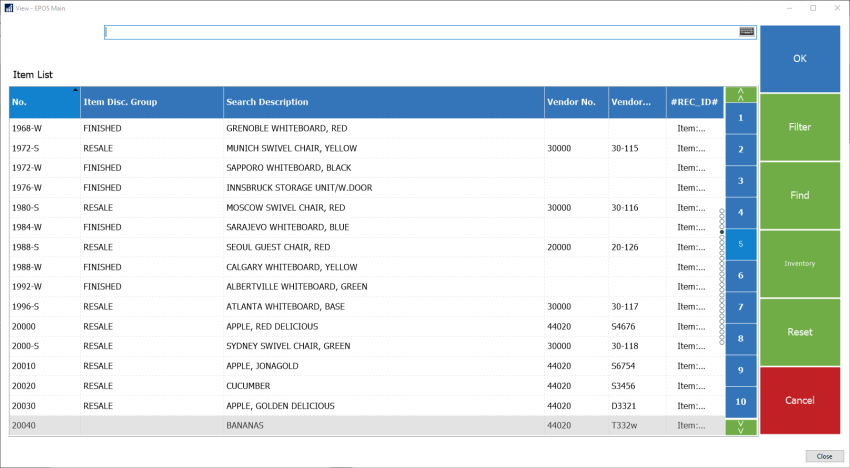
You can improve performance by disabling images in POS lookup:
-
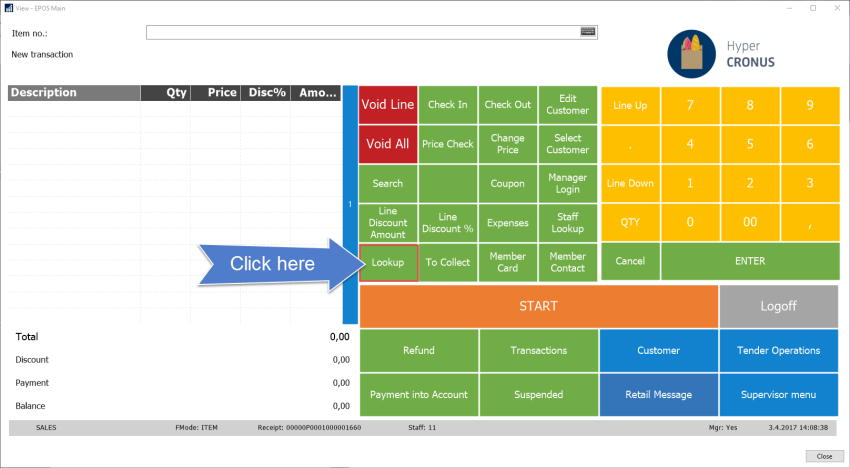
Click the Lookup button.
-
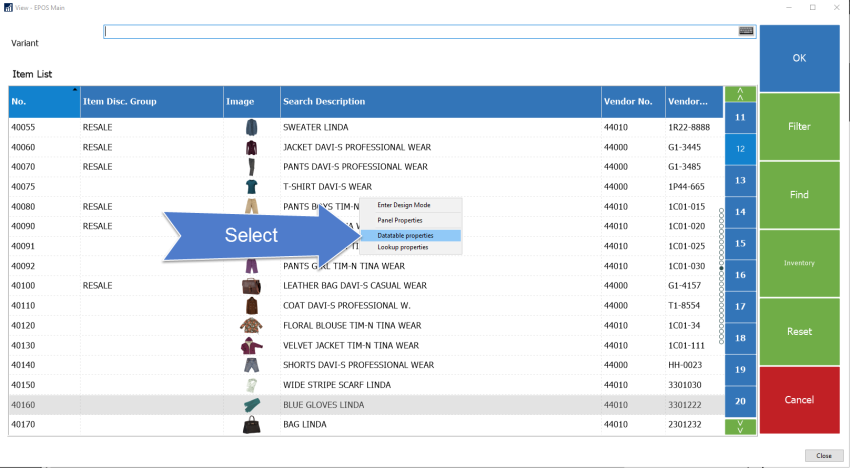
Right-click the list, and select Datatable properties.
-
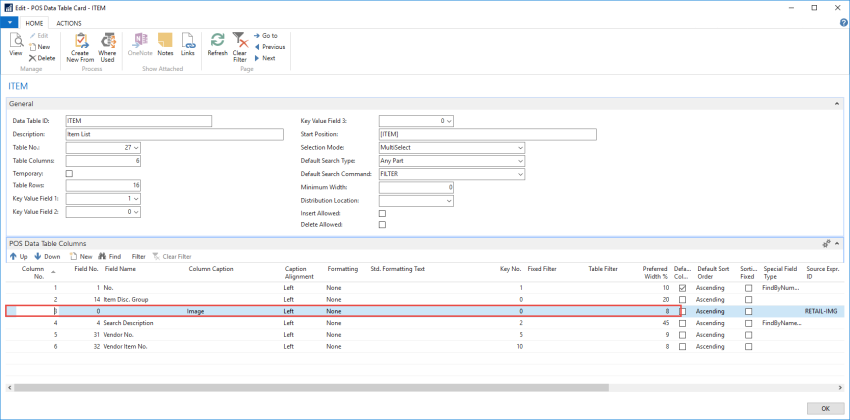
On the POS Data Table card, right-click the line with Column Caption Image, and delete the line.
POS Lookup should now look like this (the Image column has been removed):